
Download STF Watch – Free Android App, Health & Fitness Companion, Lifestyle Tool, Watch Sync, Sleep Tracking, Step Counter, Call Forwarding
Overview
STF Watch is a free Android companion application developed by Stuffactory, designed to enhance the functionality of compatible wearable devices, specifically the KRONOS series watches. As a lifestyle-focused tool in the health and fitness category, the app serves as a central hub for managing and visualizing data collected by the connected watch. It enables seamless synchronization of key biometric and activity metrics such as steps, calories burned, distance traveled, sleep patterns, and exercise records. This real-time data integration allows users to monitor their daily habits and long-term wellness goals with clarity and consistency.
The app is tailored for individuals who prioritize health tracking, fitness monitoring, and smartwatch integration. Whether used by fitness enthusiasts, health-conscious users, or those looking to improve their daily routines, STF Watch offers a streamlined way to stay informed and engaged. The app also extends functionality beyond tracking by enabling the push of phone call and text message notifications to the watch, ensuring users remain connected without constantly checking their phone—though this feature requires proper authorization.
Users can configure various watch settings directly through the app, including sedentary reminders, alarm clocks, backlight preferences, weather updates, and personalized schedules. These customization options enhance usability and help users tailor the device to their lifestyle. The developer has confirmed ongoing support and timely updates for future watch models, indicating a commitment to long-term compatibility. While specific details about system requirements and performance were not provided, the app is built to work efficiently within the Android ecosystem.
Key Features & Capabilities
- Activity & Health Data Sync – Automatically synchronizes step count, calorie burn, distance, sleep duration, and exercise logs from the watch to the app, providing a comprehensive health overview.
- Notification Forwarding – Pushes incoming calls and text messages to the watch, allowing users to stay informed without accessing their phone, with user authorization required for access.
- Watch Configuration Tools – Offers control over sedentary reminders, alarm settings, backlight duration, weather synchronization, and daily schedules to personalize the watch experience.
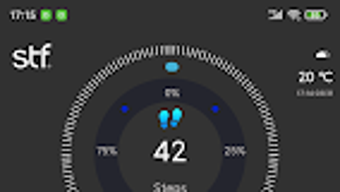
- Visual Data Tracking – Presents health and fitness data through intuitive charts and visual displays, making it easy to identify trends and progress over time.
- Future-Proof Support – The developer has indicated that updates will be released to support upcoming watch models, ensuring continued relevance and functionality.
These features are particularly useful in daily routines where users want to maintain consistency in tracking and minimize device distractions. For example, a user can set a sedentary reminder to prompt movement after prolonged inactivity, while another may rely on call forwarding during workouts to avoid interruptions. The integration of sleep tracking and exercise logs supports holistic health management, helping users refine habits and improve overall well-being. The app’s design emphasizes accessibility, enabling users of varying technical skill levels to benefit from its capabilities.
User Interface, Workflow & Performance
The user interface of STF Watch is designed with simplicity and clarity in mind, focusing on intuitive navigation and visual appeal. Users can access core functions—such as data visualization, notification settings, and device configuration—through a clean, menu-driven layout. The app organizes information into logical sections, reducing the learning curve and promoting efficient workflow.
Navigation is straightforward, with clearly labeled tabs and icons that guide users through the app’s primary functions. The data presentation is enhanced through charts and summary cards, allowing quick assessment of daily and weekly trends. Workflow efficiency is supported by direct access to sync settings, notification preferences, and watch controls—all within a few taps.
Performance observations are based on general software behavior patterns. The developer did not specify resource usage details, such as CPU or RAM consumption. Similarly, exact performance benchmarks were not provided.
Stability and responsiveness are expected to align with standard Android app behavior, particularly when paired with the supported KRONOS series watches. No reported issues with crashes or freezes were mentioned in the available documentation. However, actual performance may vary depending on the user’s device, network conditions, and watch model.
Compatibility & System Requirements
STF Watch is designed for Android devices and functions as a companion app for the KRONOS series watches. The developer has confirmed compatibility with this specific watch line, with promises of future updates for additional models. The app is available as a free download, though exact installation size was not specified.
Platform compatibility information is limited to Android and the KRONOS series. No details were provided regarding minimum Android version, required Bluetooth version, or hardware specifications. The developer did not list exact system requirements, so users should ensure their device meets standard Android app compatibility standards. Compatibility with iOS or other operating systems was not mentioned, indicating it may not be available outside the Android ecosystem.
Exact performance details were not specified. The app’s behavior may depend on the user’s phone model, Bluetooth stability, and the watch’s firmware version. Users are advised to check the official source for the latest updates and compatibility announcements.
Pros and Cons
Pros
- Free to download and use, making it accessible for a wide audience.
- Seamless synchronization of health and fitness data from the watch.
- Pushes phone calls and messages to the watch for improved connectivity.
- Offers customizable watch settings for personalized user experience.
- Visual data presentation supports easy tracking of progress over time.
Cons
- Currently limited to KRONOS series watches, restricting broader device compatibility.
- Exact system requirements and performance metrics were not disclosed.
- Android-only availability may exclude users on other platforms.
- Limited information about offline functionality or data storage practices.
- Authorization required for notification forwarding may deter some users.
FAQ Section
Is STF Watch compatible with all smartwatches?
STF Watch is currently designed to work with the KRONOS series watches. Support for additional watch models may be added in future updates, but no official confirmation has been provided for other devices.
Does STF Watch require internet access?
The app requires internet access for initial setup, updates, and cloud-based data synchronization. However, basic functions such as local data viewing and watch configuration may operate without an active connection.
Is STF Watch safe to download and use?
As a free app developed by Stuffactory, STF Watch is available through official Android channels. Users should download it from trusted sources to ensure security. The app requests permissions for notifications and Bluetooth, which are necessary for its core functions.
How often does STF Watch receive updates?
The developer has stated that timely updates are promised for future watch models, indicating ongoing development and support. Users should check the app store for the latest version and release notes.
Can I use STF Watch without a phone?
STF Watch functions as a companion app and requires an Android phone to operate. It cannot function independently on the watch or other standalone devices.
Final Thoughts + CTA
STF Watch delivers a focused, user-friendly experience for individuals invested in health tracking and smartwatch integration. Its ability to synchronize activity data, forward notifications, and customize watch settings makes it a valuable tool for daily use. While its current compatibility is limited to the KRONOS series, the developer’s commitment to future updates suggests long-term viability. The app’s clean interface and visual data presentation enhance usability, making it suitable for both beginners and experienced users.
For those using a KRONOS watch and seeking a reliable, free companion app that enhances connectivity and health monitoring, STF Watch stands out as a practical choice. It balances essential features with intuitive design, offering a solid foundation for personal wellness management.
Download STF Watch now







